
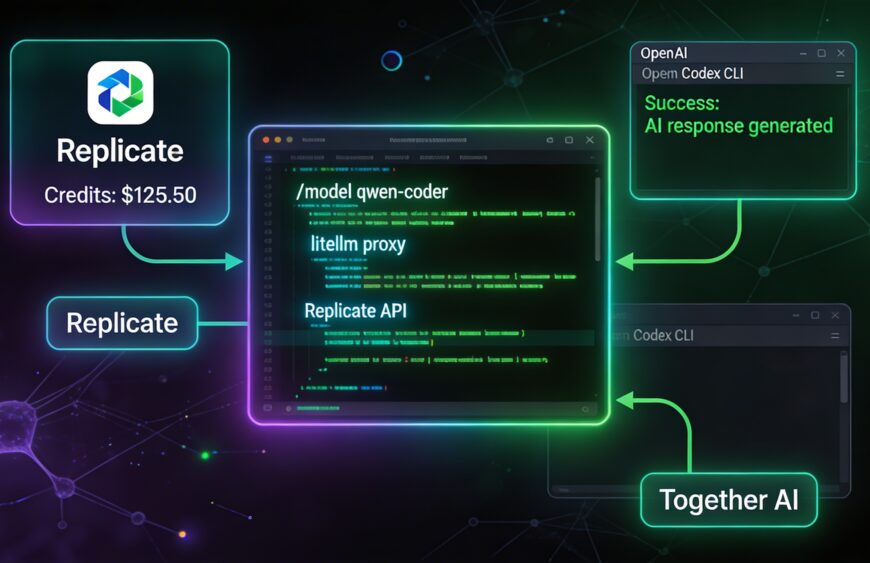
After several hours of debugging, I finally have a stable setup that lets me use Codex CLI (and Gemini CLI) powered entirely by my Together AI credits (plus Replicate AI when needed). No MCP server, no OpenAI billing.
This post captures the exact journey — including all the frustrating errors we hit and how we ultimately solved them by forking LiteLLM.
The Problems We Ran Into
LiteLLM proxy works great in theory, but pairing it with modern OpenAI-style CLIs like Codex revealed some rough edges when routing to Replicate:
- “Invalid model name passed” + empty
/v1/modelslist - “OPENAI_BASE_URL is deprecated” warnings
- Unsupported parameters (
parallel_tool_calls,reasoning_effort,web_search_options) → fixed withdrop_params: true - The stubborn “sequence item 1: expected str instance, list found” error
→ Triggered byReceived Model Group=replicate/google/gemini-2.5-flash(orreplicate/openai/gpt-5, etc.) - Followed by chat template failures and
TypeErrorindefault_pt()because Codex sometimes sends complex message content (lists instead of plain strings).
These “Model Group” fallback issues happen when Codex requests a model name that doesn’t exactly match one of your model_name entries in config.yaml. LiteLLM’s router turns unknown names into internal lists, which then breaks the Replicate chat handler.
We tried every clean config trick (num_retries: 0, fallback: false, strict model aliases, etc.), but the errors kept coming back. At that point, forking and patching LiteLLM became the practical solution.
(Note: This is a known pain point — similar “Model Group” and Codex compatibility issues appear in several LiteLLM GitHub issues.)
The Working Setup (After Patching)
1. Fork and Patch LiteLLM
I forked the official repo (BerriAI/litellm), then applied targeted fixes:
- Stricter early model name validation for Replicate deployments (prevent phantom Model Groups)
- Safer
default_ptfallback in the prompt factory to handle list-based content from Codex - Disabled aggressive fallbacks in the router for Replicate models
After the patch:
cd ~/Projects/litellm-fork
pip install -e '.[proxy]'
(Verify with: python -c "import litellm; print(litellm.__file__)" — it should point to your fork.)
2. Clean config.yaml
model_list:
  - model_name: qwen-coder
    litellm_params:
      model: replicate/qwen/qwen2.5-coder-32b-instruct
      api_key: os.environ/REPLICATE_API_KEY

  - model_name: llama-70b
    litellm_params:
      model: replicate/meta/meta-llama-3.1-70b-instruct
      api_key: os.environ/REPLICATE_API_KEY

  - model_name: grok4
    litellm_params:
      model: replicate/xai/grok-4
      api_key: os.environ/REPLICATE_API_KEY

litellm_settings:
  drop_params: true
  num_retries: 0
  fallback: false

general_settings:
  master_key: sk-your-super-secret-master-key-change-this-2026
3. Start the Proxy
export REPLICATE_API_KEY=r8_XXXXXXXXXXXXXXXXXXXXXXXX

litellm --config config.yaml --port 4000
4. Codex CLI Configuration
~/.codex/config.toml:
openai_base_url = "http://localhost:4000/v1"
model = "qwen-coder"
Run it:
codex
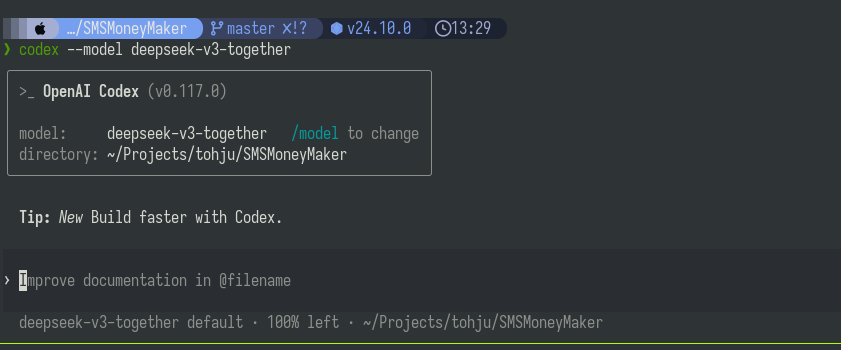
Switch models anytime with /model qwen-coder, /model llama-70b, or /model grok4.
5. Gemini CLI (Same Proxy)
~/.gemini/settings.json:
{
  "googleGeminiBaseUrl": "http://localhost:4000/gemini",
  "apiKey": "sk-your-super-secret-master-key-change-this-2026"
}
Recommended Models
- qwen-coder → Best daily driver for coding (React Native, Expo, etc.)
- GLX-4.7 → Reliable for planning and architecture
Key Lessons from This Journey
- Use short, clean
model_namealiases in your config. drop_params: true+ disabling retries/fallbacks helps a lot.- When clean configs aren’t enough, a small fork/patch makes the setup production-ready for Codex.
- Alternative if you want to avoid maintaining a fork: Try Aider — it has native Replicate support and fewer compatibility issues (
aider --model replicate/qwen/qwen2.5-coder-32b-instruct).
What I’m Building With This
A React Native Expo app for bulk SMS: upload a CSV of numbers + message template → send campaigns + view delivery reports. Codex is now smoothly editing the codebase using my Replicate credits.